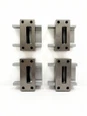
1.The tool becomes loose after fixing the rotating blade
Frequently Asked Questions
After tightening the middle screw according to the procedure, gently pushing the fixed blade until a friction sound is produced, and then fixing the screws on both sides, slight shaking of the rotating blade was still found during the trial run.
Analysis of the causes
①. When tightening the screws, the order was incorrect: the screws on both sides were fixed first, and then the middle screw was tightened, resulting in uneven force on the blade and failure to fit tightly against the mounting surface.
②. The tightening force of the screw is insufficient, or the fitting clearance between the screw and the screw hole is too large, making it impossible to provide sufficient fixing force.
Solution
①. Re-dismantle the screws, strictly following the tightening sequence of "first the middle, then the two sides", and the screws on both sides should be tightened alternately (increase the tightening force gradually each time to avoid excessive force on one side);
②. Check the matching specifications of the screws and screw holes. If the gap is too large, replace the screws with ones of appropriate specifications; use a torque wrench when tightening the screws, and set the corresponding torque according to the screw specifications (for example, the torque for M5 screws is generally 3-5N·m, refer to the equipment manual for details) to ensure that the tightening force meets the standard.
Ⅱ. Improper adjustment of cutting gap
Frequently Asked Questions
①. After adjustment, the blade cannot pass smoothly and gets stuck;
②. When testing a single layer of film, the film is either not cut off or has a rough cut.
Analysis of Causes
①. When striking the circular holes on both sides of the blade with a copper hammer, improper control of the force, excessive striking causes the blade to shift, resulting in too small a gap; or the striking position is deviated, failing to accurately adjust the gap.
②. Failure to adjust the gap according to the film thickness, such as when the film is thick, the gap is too small, leading to inability to cut through; when the film is thin, the gap is too large, resulting in a rough cut.
Solution
①. If the blade gets stuck, gently tap both sides of the blade in the reverse direction with a copper hammer (with a force 1/3 less than the initial tap). While tapping, manually rotate the blade until it can rotate smoothly with a slight friction sound. When tapping, mark the circular holes on both sides of the blade to ensure that each tapping position is symmetrical.
②. Before testing a single-layer film, first set the gap preliminarily according to the film thickness (for example, for a film with a thickness of 0.02-0.05mm, the gap can be set to 0.01-0.03mm), and then adjust through trial cutting: if it cannot be cut off, appropriately increase the gap (adjust 0.005mm each time); if the cut is rough, appropriately reduce the gap (adjust 0.005mm each time) until the film cut is flat and the cutting is smooth.
Ⅲ.The verticality calibration does not meet the standard
Frequently Asked Questions
①. Using the dial indicator to measure, the tool deviation within a 100mm stroke exceeds 1mm;
②. The chip flow direction is biased to one side, and there is no significant improvement after adjustment.
Analysis of the causes
①. The installation position of the dial indicator is inaccurate, or the indicator head is not perpendicular to the tool surface during measurement, resulting in deviations in the measured data;
②. There is a problem with the perpendicularity of the fixture itself, or the fixture is not fixed firmly during installation, and deviations occur again due to fixture displacement after calibration;
③. The chip flow direction is biased to one side, which may be due to the asymmetric angle of the blade edge or the mismatch between the tool rotation direction and the edge angle.
Solution
①. Reinstall the indicator, ensuring that the gauge base is firmly fixed and the gauge head is perpendicular to the measuring surface of the tool (a square ruler can be used for auxiliary calibration); when measuring, move the tool slowly, record the maximum deviation within a 100mm stroke. If the deviation exceeds the standard, loosen the fixture fixing screws, gently tap the fixture to adjust its position, and re-measure after adjustment until the deviation is ≤ 1mm;
②. If the chip flow still deviates to one side after adjustment, first check the blade edge angle. Use an angle ruler to measure whether the edge angles on both sides are consistent (the error should be ≤ 0.5°). If they are inconsistent, the blade needs to be replaced; then confirm the rotation direction of the tool to ensure that the rotation direction matches the edge angle (usually the direction of the edge inclination should be the same as the rotation direction). If the direction is opposite, adjust the installation direction of the tool.